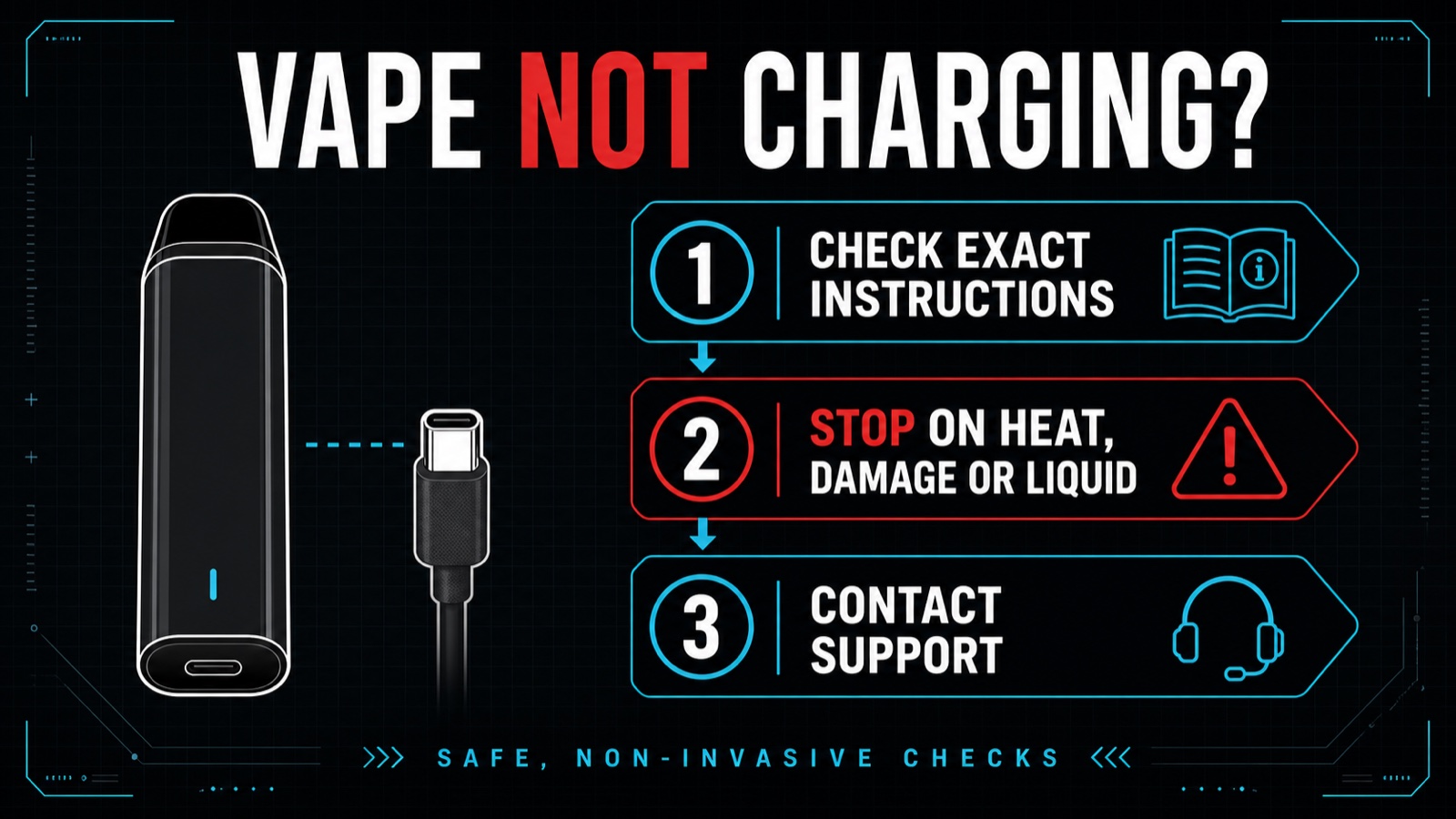
Quick answer: If a vape is not charging, first confirm the exact model and its instructions, then check the exterior for damage, liquid, unusual heat, swelling, odor, sound, sparks or unexpected firing. If any warning sign is present, disconnect power and stop using or charging it. If there is no visible hazard, limit checks to the correct documented charging setup, an undamaged cable/connector that fits normally, a dry exterior and the seller or manufacturer support route. Do not open the device, scrape or lift port contacts, insert tools, bridge contacts, replace a sealed cell or keep charging through heat or damage.
Evidence disclosure: This is a source-based troubleshooting and safety guide, not a repair manual or diagnosis. USB-C describes an interface, not the complete battery, charging controller, cable, adapter, thermal protection or firmware specification. VapeRisk has not tested your device and cannot confirm from a light, symbol or connector alone that it is charging safely, fully charged, repaired or suitable for continued use.
Why is my vape not charging? Start with the symptom
| What you see | What it may mean | Safe next step | What not to assume |
|---|---|---|---|
| No light or charging symbol | No power transfer, an undocumented indicator state, a depleted or failed component, or a kit/dock mismatch | Confirm exact instructions and package contents; visually inspect the exterior and use the seller/manufacturer route if unresolved | No light does not prove the battery is empty or harmless |
| Light or symbol appears, but the device does not work | The indicator may show connection rather than usable charge; the fault may be outside the charging path | Stop repeated charging attempts and seek exact-model support | A charging icon is not proof of battery health, coil condition or safe operation |
| Blinking while connected or after unplugging | A model-specific status or fault code | Use only the exact manual; stop if blinking appears with heat, liquid, damage, odor, sound or unexpected firing | Color and blink count do not have a universal meaning |
| Charging is slow or stops early | Could reflect the documented charge behavior, temperature, cable/setup mismatch, aging or a fault | Compare only with the exact official instructions; do not force a longer charge | USB-C does not guarantee fast charging or a particular charge time |
| Charging but not hitting | The power path may be separate from airflow, activation, pod/coil or protection behavior | Do not keep charging as a universal fix; use the exact model’s support/warranty route | A charged battery does not prove the atomizer, sensor or liquid path is working |
| Liquid in or near the charging port | Condensation or active leakage may have reached electrical areas | Disconnect power, stop using/charging and follow the leak decision guide and battery safety checklist | Wiping the exterior does not prove the inside is dry or safe |
Stop before troubleshooting when warning signs appear
Do not continue ordinary charging checks when the body is crushed, cracked or swollen; the connector is loose or damaged; liquid is near electronics or a battery area; the device becomes unusually hot; there is an unusual odor, hissing or popping; sparks or smoke appear; or the device fires unexpectedly. Disconnect power if it can be done without approaching an active fire, smoke or extreme heat. Move away and contact local emergency services when needed.
VapeRisk’s battery safety owner contains the full charging-surface, travel, disposal and incident-reporting guidance. This page returns to ordinary no-charge questions only when there is no immediate warning sign.
Seven safe, non-invasive checks
- Identify the exact product. Record the manufacturer, model, version, batch or serial information, seller and package. Similar-looking models can use different docks, status codes and charging instructions.
- Read the current official instructions. FDA advises following the manufacturer’s use and care instructions and contacting the manufacturer when they are unclear. Do not substitute a retailer or forum post for a model manual.
- Confirm the complete charging system. A pod-only purchase may omit the required dock. For example, FogerTech says its Switch Pro replacement pod needs the Switch Pro charging device, which is not included with pod-only. See the Foger Switch Pro kit and pod guide.
- Inspect the exterior without inserting anything. Look for crushing, cracks, swelling, a loose connector, liquid, corrosion, discoloration or debris visible from the outside. Do not scrape, probe, bend or lift contacts.
- Use only a documented setup. A cable or adapter that physically connects is not proof that its electrical behavior is correct for the exact device. Do not improvise power or inherit another model’s charger advice.
- Keep the charge visible and away from flammables. FDA recommends a clean, flat surface where the device can be seen, away from material that can catch fire, and not in extreme temperatures.
- Stop the loop. If the documented setup produces no normal response, do not cycle through cables, adapters, long charging periods or resets indefinitely. Use the seller, manufacturer or warranty route with the receipt and product record.
No light while charging
A blank indicator has no universal meaning. It may reflect a model designed without a charging light, an indicator that only appears briefly, an incomplete dock connection, a deeply depleted or failed component, or another fault. Search results often recommend pin lifting, port scraping or waiting through long charges; VapeRisk does not treat those steps as safe generic advice.
Check the exact manual for the normal indicator behavior. If the device has visible damage, liquid, unusual heat or other warning signs, stop. If the exterior looks normal but the documented indicator never appears, the safe next step is support or return, not invasive repair.
Charging light or symbol appears, but the vape does not work
A charging light can show that a connector was detected without proving that the cell accepted a usable charge or that the atomizer, pod, activation sensor and protection system are functioning. The phrase “charging but not hitting” is therefore not solved by charging alone.
Confirm that the exact pod, dock or cartridge is installed as the manufacturer describes, but do not open a sealed device or bypass its protection. If the exact manual offers no safe external step, use the support/warranty path. Do not continue drawing on a device that is leaking, unusually hot, damaged, firing unexpectedly or producing an unusual odor or sound.
Blinking, red or blue lights
Light colors and blink counts are model-specific. They may indicate charging, low charge, connection, cutoff, protection or a fault, and the same color can mean different things on another device. VapeRisk does not publish a universal blink-code table because that would transfer instructions between products and versions.
Use only a version-matched manual. A blink pattern paired with heat, swelling, liquid, damage, smoke, sparks, odor, sound or unexpected firing is a stop-use condition regardless of the intended code.
Slow charging or charging that stops early
Do not compare every vape with a phone or laptop. Small devices can have different input limits, charge controllers, temperature behavior, cutoff logic and indicator timing. USB-C does not promise USB Power Delivery, fast charging or a standard completion time.
Manufacturer instructions control the expected setup. A live manufacturer example, the GEEKBAR HERO instructions, publishes model-specific charger/cable and temperature language and also says not to open or tamper with a damaged or leaking device. Those instructions apply to the identified HERO version; they are not a universal rule for Geek Bar, Foger, Lost Mary, RAZ, VOZOL or another model.
What USB-C does and does not prove
| USB-C can show | USB-C cannot prove |
|---|---|
| The connector family and reversible plug shape | Correct adapter power, cable quality or protocol support |
| That the manufacturer designed a rechargeable path | Usable battery capacity, cell quality or charging-controller accuracy |
| A possible route for data or power in the standard generally | That this device supports fast charging, USB-PD or every USB-C cable |
| That the plug physically fits | That the damaged, wet, hot or altered device is safe to charge |
For the evidence boundary between battery markings, puff claims and usable measurements, see Battery Capacity vs Puff Count and the Claimed vs Measured dataset.
What not to do
- Do not open a sealed device or remove a cell from its pack.
- Do not scrape, probe, bend or lift port contacts or a center pin.
- Do not insert metal, needles, toothpicks or sharp tools into a charging port.
- Do not bridge contacts, bypass protection, replace a sealed cell or modify firmware.
- Do not heat-dry, squeeze, puncture or charge a wet or leaking device.
- Do not keep charging through unusual heat, odor, sound, swelling, smoke, sparks, damage or unexpected firing.
Reporting and evidence to keep
Keep the manufacturer, model, version, serial or batch information, seller, purchase date, receipt, package photos, cable/adapter details and a description of the normal versus abnormal behavior. Do not approach or handle an active fire to collect evidence. After the immediate risk is controlled, product problems can be reported to the manufacturer/seller and, in the United States, through FDA’s Safety Reporting Portal or CPSC’s SaferProducts.gov as appropriate.
Sources
- FDA: Tips to Help Avoid Vape Battery Fires or Explosions – manufacturer instructions, visible charging surface, temperature, flammables and reporting.
- CPSC warning on separated loose lithium-ion cells – boundary against opening packs or improvising cells.
- GEEKBAR HERO user instructions – a model-specific example of charging, liquid and no-tampering instructions; not a universal vape rule.
VapeRisk may consider evidence-led partnership proposals for charging research, testing or retailer quality systems, but no partner can buy compatibility, a diagnosis, repair advice, a safety conclusion, ranking or editorial outcome. See our Sponsorship Standards and partnership formats.
FAQ
Why is my vape not charging?
There is no universal cause. Confirm the exact model and instructions, check the exterior for damage, liquid or unusual heat, and use only the documented charging setup. Stop on warning signs and use manufacturer or seller support rather than opening or probing the device.
Why is my vape charging but not hitting?
A charging indicator does not prove that the atomizer, pod, airflow sensor or protection system is working. Do not keep charging as a universal fix. Follow the exact model’s external setup instructions and use its support or warranty route if unresolved.
Why is there no light when my vape is charging?
Indicator behavior is model-specific. Check the exact manual. No light can reflect normal design, incomplete connection, deep depletion or a fault, but it does not justify port scraping, pin lifting, opening the device or an extended forced charge.
What does a blinking light while charging mean?
Blink colors and counts do not have a universal meaning. Use a version-matched manual. If blinking appears with heat, swelling, leakage, damage, odor, sound, sparks, smoke or unexpected firing, stop using and charging the device.
Does USB-C mean I can use any charger?
No. USB-C describes the connector family, not the exact cable, adapter, input, protocol or thermal specification. Follow the exact manufacturer’s instructions.
Can I clean a vape charging port with a toothpick or metal tool?
VapeRisk does not recommend inserting toothpicks, metal or sharp tools, scraping contacts or lifting pins. Those steps can damage contacts, push contamination inward or create an electrical risk. Use the manufacturer or seller route.
Can I charge a vape if liquid is in the port?
Do not charge it. Disconnect power and stop using the device. Liquid near charging contacts, electronics or a battery area requires the leak and battery-safety escalation path; wiping the outside does not prove the inside is dry or safe.